Loading…
Skip to content
Configure once • see results every day

Turn traffic into new visitors with an ultra‑light WordPress booster.

Create Spaces to display network ads and earn Points. Spend Points to run your own Ads with smart filters — and keep your site fast.

WP Booster poster preview
No-code setup Language & category filters Spaces + Ads + Stats Regular / Extended
20k+
Join 20,000+ people who use booster tools to grow.

Admin Demo Screens

Jump to Documentation
1) Create a Space

Display network ads, earn Points, and keep control with filters.

2) Earn / Add Points

Grow naturally, or add Promo Codes / Points packages when needed.

3) Boost with Ads

Create Ads, track results, and iterate using the built‑in statistics.

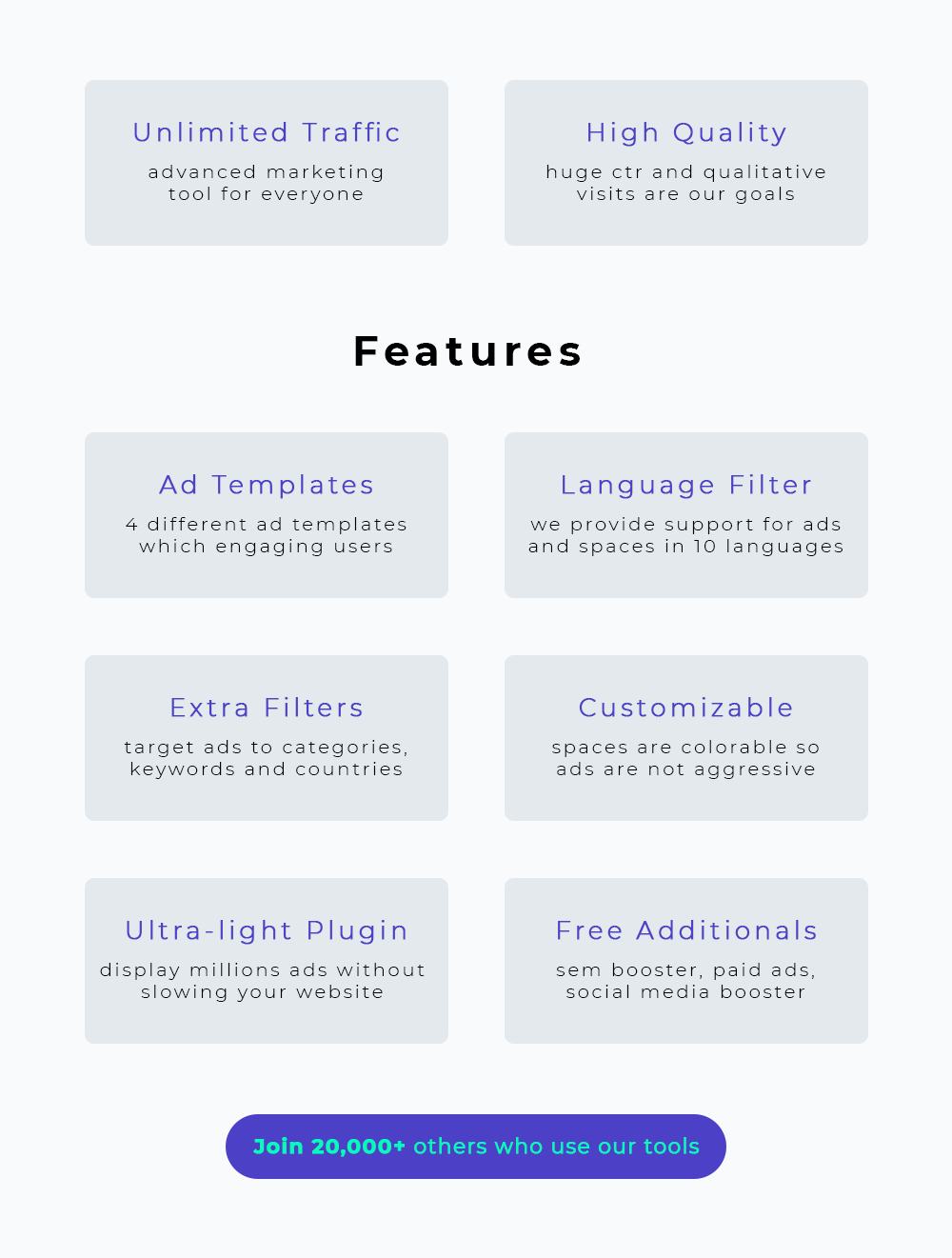
Features

A marketing tool that doesn’t feel like a spaceship cockpit.

Ad Templates
Multiple layouts for different goals.

Pick a template, adjust the copy, publish. Less fiddling, more shipping.

Language Filter
Target visits by language.

Show your ads to people who can actually read them. Wild concept.

Extra Filters
Categories, keywords, countries.

Keep your traffic relevant — and your analytics less… haunted.

Customizable Spaces
Colors, layout, non‑aggressive ads.

Match your theme so it feels native — not like a billboard crash‑landing.

Ultra‑light Plugin
Optimized for speed.

Designed to avoid blocking your page. Your Core Web Vitals can breathe.

Free Additionals
SEM booster, social booster, more.

Bonus modules that turn “meh” traffic into “okay, that’s decent”.

Pricing

Pick your license. Upgrade when you want more templates, spaces, and bonus modules.

Tip: Extended is great for projects that need bigger caps and more Unique Users (UU).
Free
$0
Limited version
  • High‑quality traffic: unlimited
  • Further Points: 0
  • Real UU from Points: 0
  • Ad Templates: 1
  • Space / Ad Limit: 1 / 1
Download Demo
Regular License
$99
Full version - One-time fee
Popular
  • Further Points: 10,000
  • Real UU: up to 1,000
  • Ad Templates: 4
  • Space / Ad Limit: 20 / 20
  • Actions on Demand (multi‑links)
  • SEM Booster, Paid Ads, Social Booster
  • Premium Support
Buy Regular
Use your Purchase / Promo Code to unlock features.
Extended License
$499
Full version - One-time fee
  • Further Points: 60,000
  • Real UU: up to 6,000
  • Ad Templates: 4
  • Space / Ad Limit: 20 / 20
  • Actions on Demand (multi‑links)
  • SEM Booster, Paid Ads, Social Booster
  • Premium Support
Buy Extended
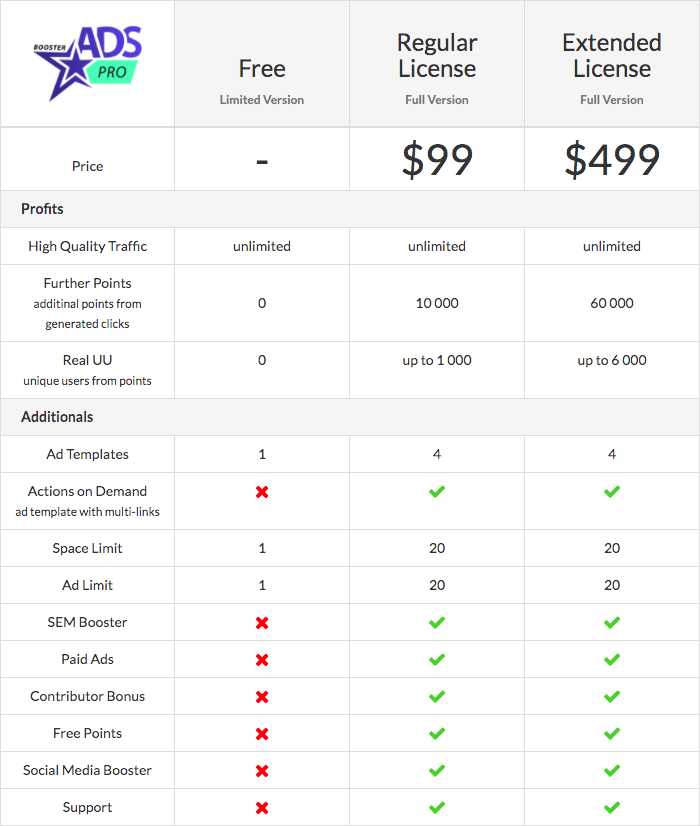
License comparison (visual)

Pricing comparison table
License comparison (text)

UU = Unique Users
Feature Free Regular Extended
High Quality Traffic unlimited unlimited unlimited
Further Points 0 10,000 60,000
Real UU 0 up to 1,000 up to 6,000
Ad Templates 1 4 4
Actions on Demand (multi‑links)
Space Limit 1 20 20
Ad Limit 1 20 20
SEM Booster
Paid Ads
Contributor Bonus
Free Points
Support

Documentation

Practical, card‑style guides — so you can ship faster and argue with your analytics less.

Installation
Upload → Activate → Open Dashboard
  1. Go to Plugins → Add New → Upload Plugin.
  2. Upload the plugin ZIP and click Install Now.
  3. Click Activate.
  4. Open WP Booster in the admin menu.
Requirements: WordPress 6+ • PHP 7.4+ • HTTPS recommended
Dashboard
Quick status + shortcuts

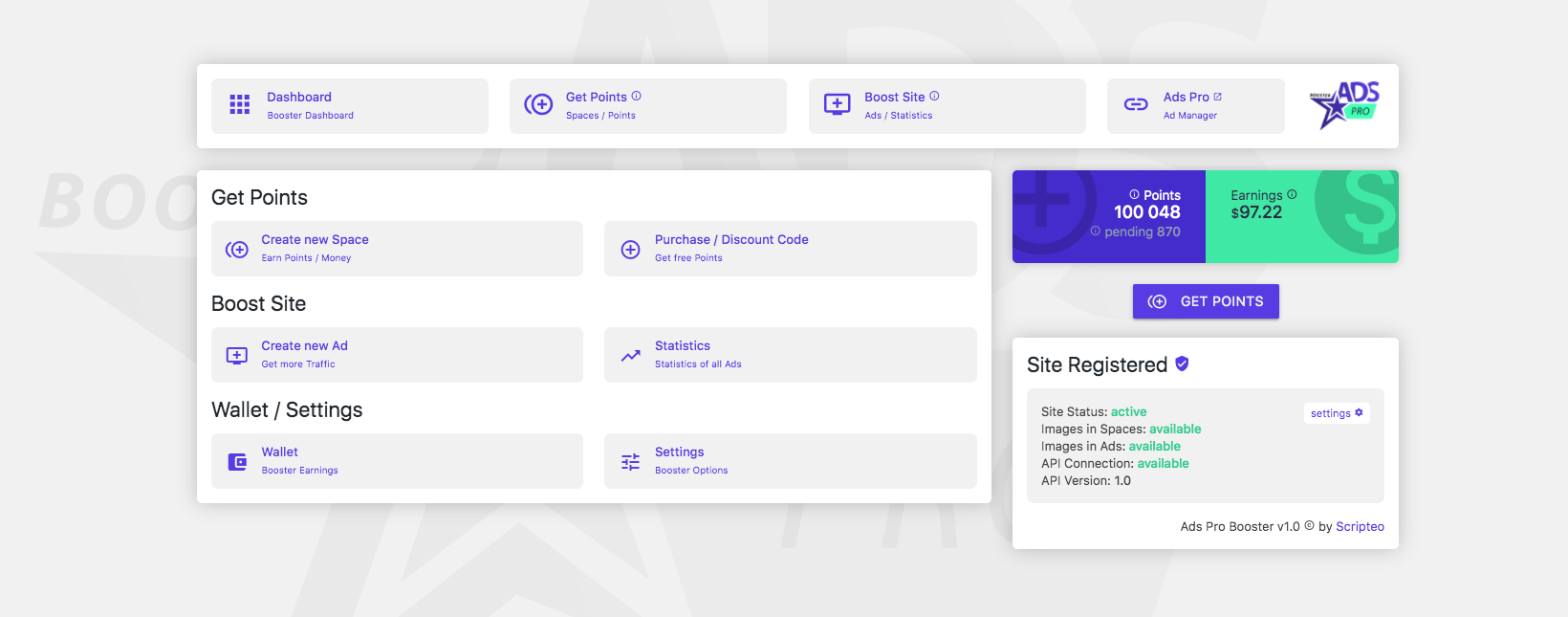
The Dashboard gives you a fast overview of Points, Earnings, and whether your site is correctly registered (API connection, images, etc.).

Open screenshot
WP Booster dashboard screenshot
Get Points
Spaces & promo codes

Points are the “fuel” of the system. You earn them by creating Spaces (ad placements) and letting them run.

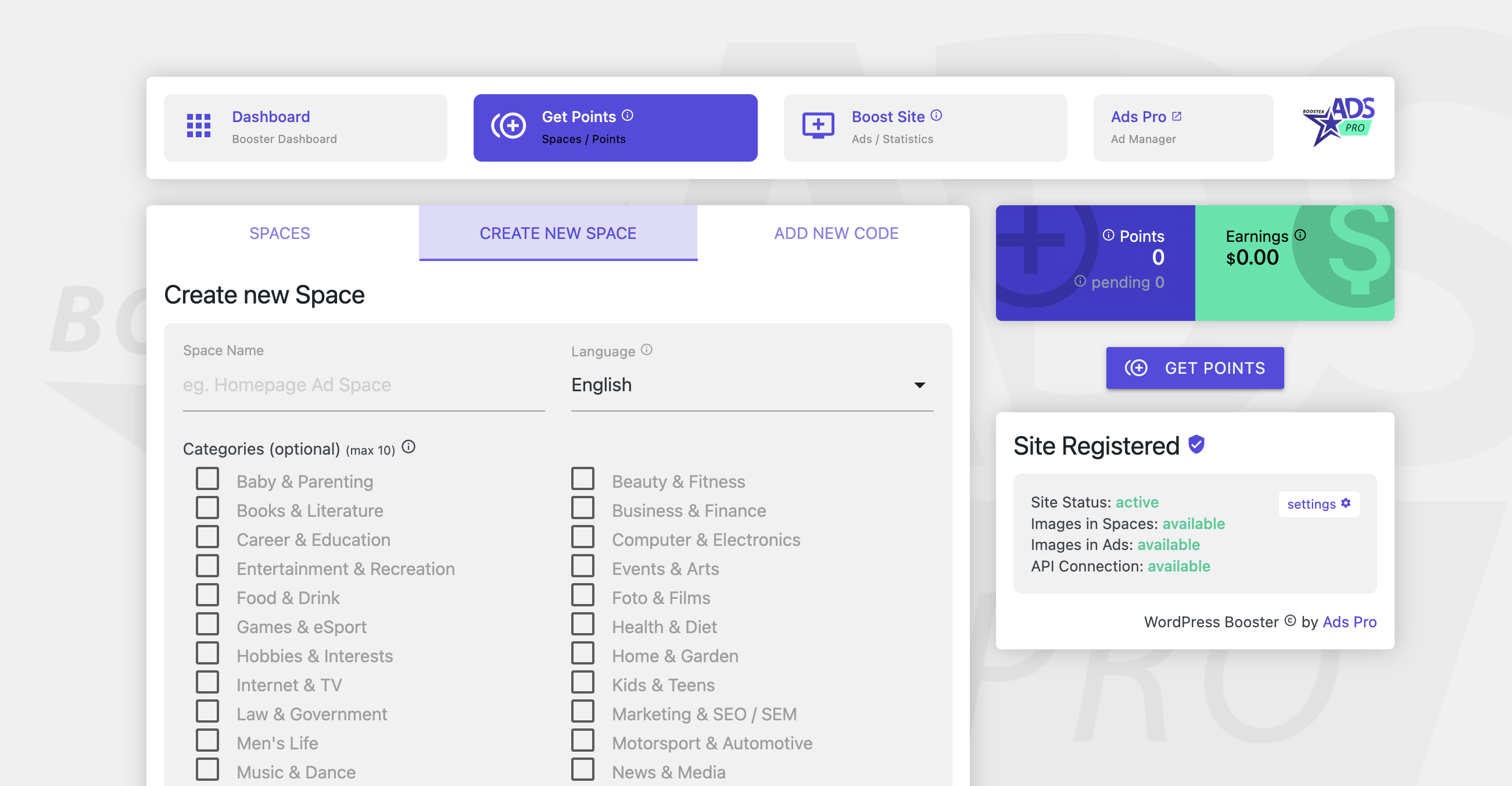
  • Create a Space and choose language + categories.
  • Place the Space on your site (shortcode / embed generated after saving).
  • Use Purchase / Promo Code to unlock features or add points.
Get Points: Create new Space
Create a Space
Where ads are shown (and points are earned)
Recommended settings
  • Pick a clear Space name (e.g. “Sidebar section”).
  • Set Language to match your audience.
  • Select up to 10 categories for relevance.
Placement tips
  • Use 1–2 Spaces per page to keep UX clean.
  • Avoid placing ads too close to critical buttons.
  • Test above‑the‑fold vs below‑the‑fold.
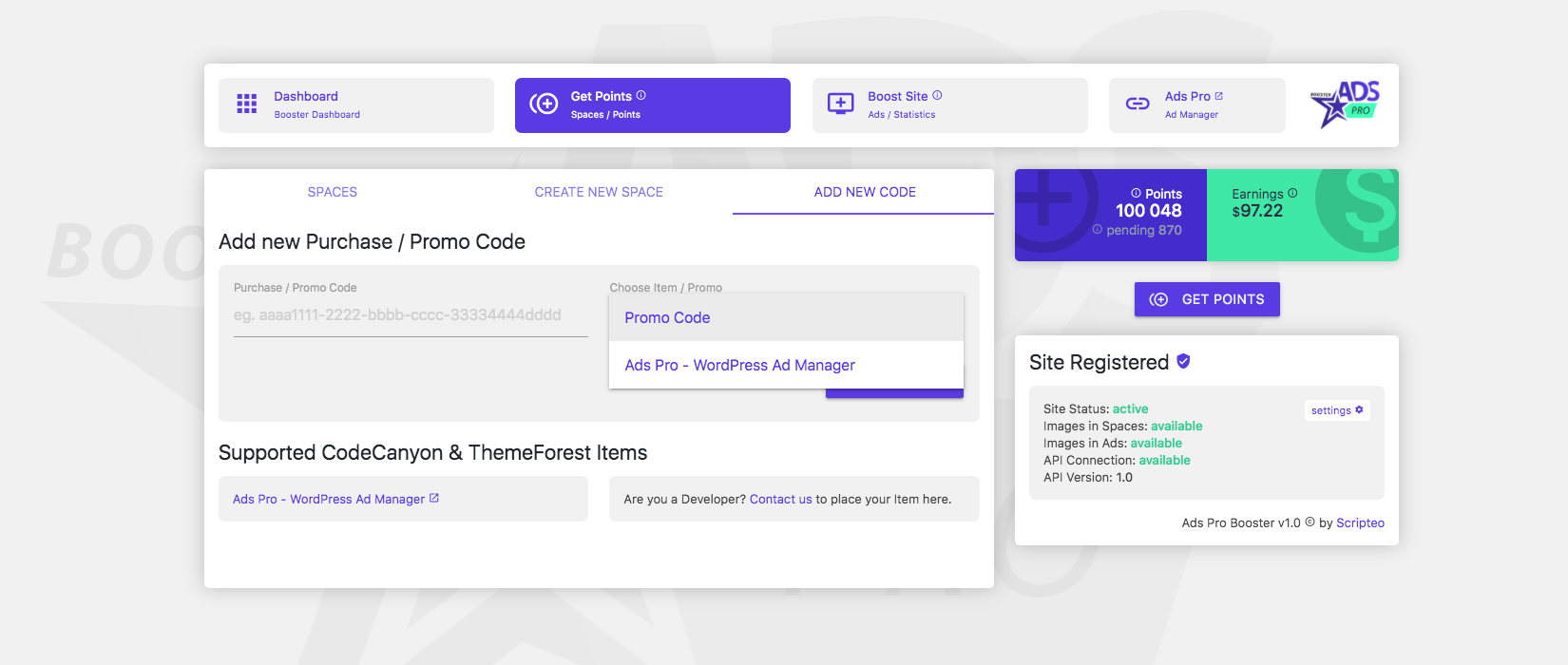
Purchase / Promo Code
Unlock features and supported items

Paste your purchase code (or promo code) in Get Points → Add New Code. After validation, your license features become available.

Purchase / Promo Code
Boost Site (Create a New Ad)
Spend points to generate visits
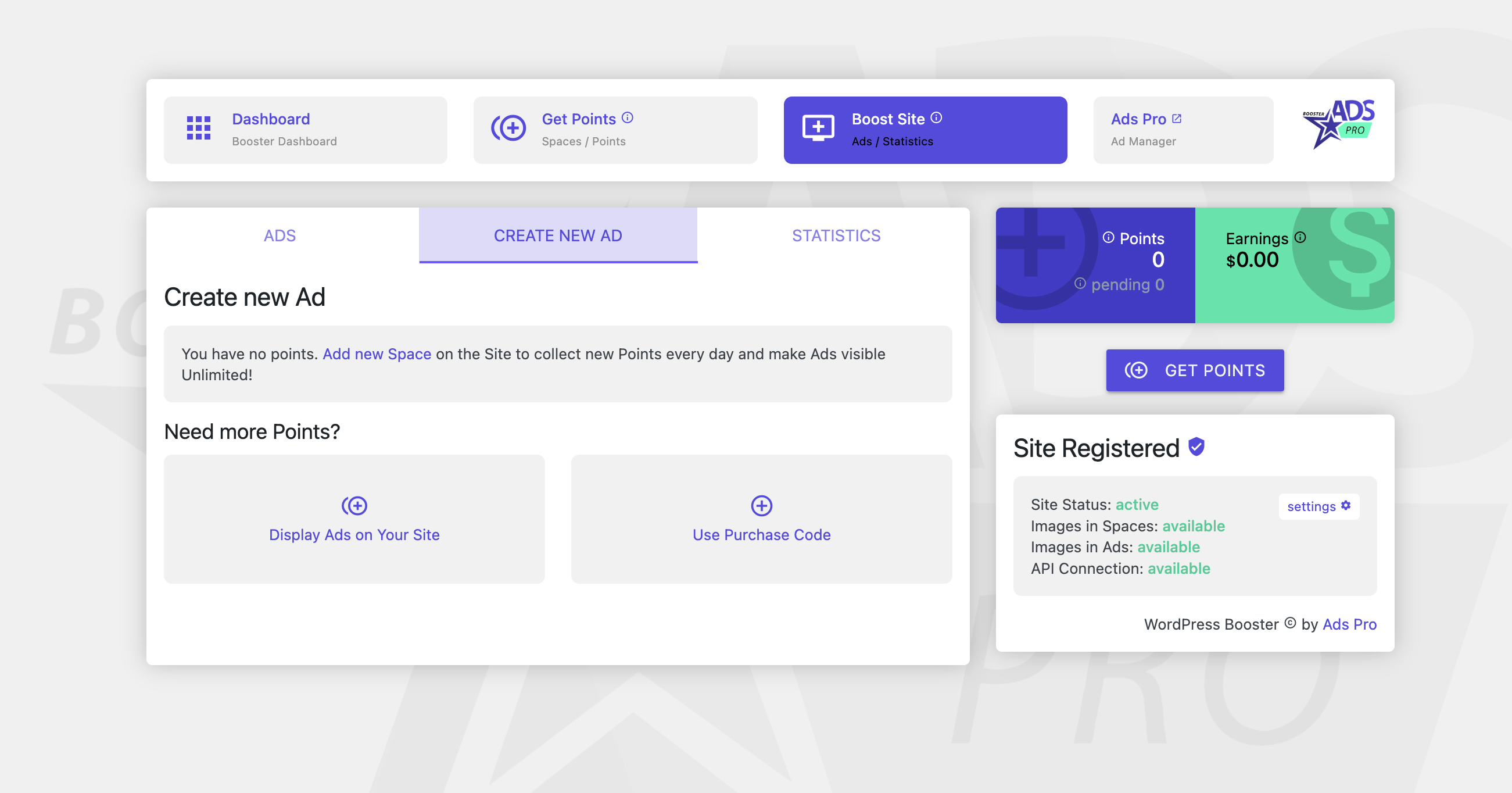
  1. Open Boost Site and click Create New Ad.
  2. Add your URL, title, and description (keep it human — bots don’t buy things).
  3. Select a template and targeting filters.
  4. Publish the ad and monitor results in Statistics.
Boost Site: Create new Ad
Troubleshooting
The “why isn’t it working?” card
  • Site not registered: check API connection and firewall rules.
  • No points: confirm your Space is published and visible on the frontend.
  • Ads not showing: disable aggressive cache/minify for the Space area.
  • Wrong targeting: revisit language/categories filters.
Pro tip: test in an incognito window to avoid cached fragments.


See sample ads

You can create multiple ad spaces on your WordPress website.

CTA cards preview

FAQ

Small answers to big, suspicious questions.

Is the traffic “real”?

WP Booster is designed around real visits and Unique Users (UU) caps. Relevance depends on your targeting and ad quality.

Will it slow down my site?

The plugin is marketed as ultra‑light. Keep Spaces reasonable (1–2 per page) and exclude them from heavy caching if needed.

How do I get Points fast?

Create a Space in a visible area, keep it running, and use promo codes when available. Regular/Extended also provide higher caps.

Can I control what appears in my Space?

Yes — use language and category filters. Keep your Space aligned with your audience and site niche.

Where do I add a purchase code?

Go to Get Points → Add New Code and paste your Purchase/Promo Code to validate.

Is this page AI‑friendly?

It includes real text for pricing, structured data, and clean headings — helpful for classic SEO and AI summaries.